Outbound Locations
The Outbound feature is available throughout the application. Types of outbound methods vary by page. The table below shows the types of outbound methods available by application area.
|
Area & Outbound Type |
Message |
Notification |
Vacancy |
Roster Alarm |
|---|---|---|---|---|
|
Roster |
X |
X |
X |
X |
|
Fill By Rules |
X | |||
|
People |
X | |||
|
Advanced Calendar via People Filter |
X | |||
|
Multi-Day Schedule |
X |
X |
To access the Outbound feature:
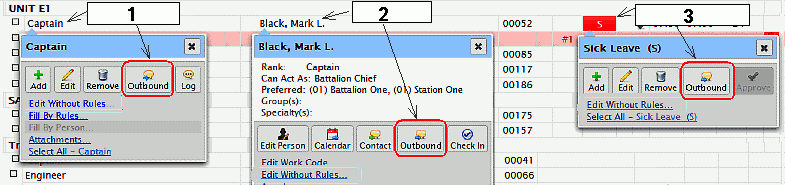
- Roster- click on the (1) Position, (2) Person, or (3) Work Code
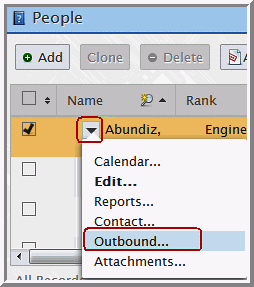
- People Filter- from the People area click on the drop-down arrow next to the person to access the Outbound feature.
- Advanced Calendar- the People Filter is also available in the Advanced Calendar with the same outbound feature.
- Fill By Rules- “Outbound All People” is used for Outbound of type Message only and used to target a list of candidates shown on the FBR table.
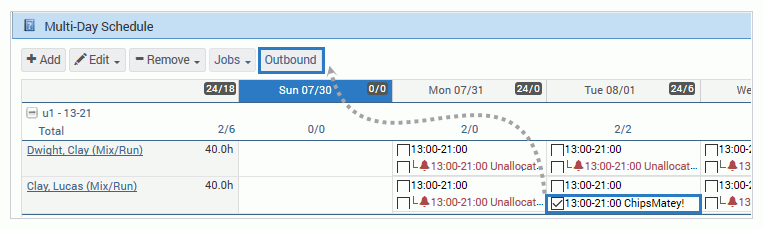
- Multi-Day Schedule - from the Multi-Day Schedule select a job to enable the Outbound feature.